
A practical guide to the best free AI productivity tools for work, study, and freelancing
Picture your Monday morning. Forty emails wait in your inbox. A meeting starts in ten minutes. Your manager wants a slide deck by noon. Sound familiar? Now imagine handing half that pile to a helper that costs nothing. That’s the promise of free AI tools that save time, and in 2026 the promise is finally real.
You don’t need a big budget to start. Today’s best free AI tools handle writing, research, meetings, scheduling, and design. A 2026 Fyxer survey of 5,000 office workers found they lose 5.6 hours every week to admin that AI could handle. Reclaim even half of that time and you’d win back roughly 12 hours a month. This guide shows you how. You’ll meet ten time-saving AI tools, see real free-plan limits, and learn how to build a simple daily workflow. Whether you freelance, study, or work in an office, you’ll find something useful here.
Quick answer: the 10 free AI tools that save the most time
- ChatGPT for everyday drafting and summaries
- Claude for long documents and careful writing
- Perplexity for fast, sourced research
- Canva AI for quick designs
- Grammarly for instant proofreading
- Otter.ai for automatic meeting notes
- Reclaim.ai for smart calendar scheduling
- Notion for notes and task organization
- Zapier for automating repetitive work
- Gamma for presentations in minutes
Why Free AI Tools That Save You Time Matter in 2026
The Real Cost of Daily Busywork
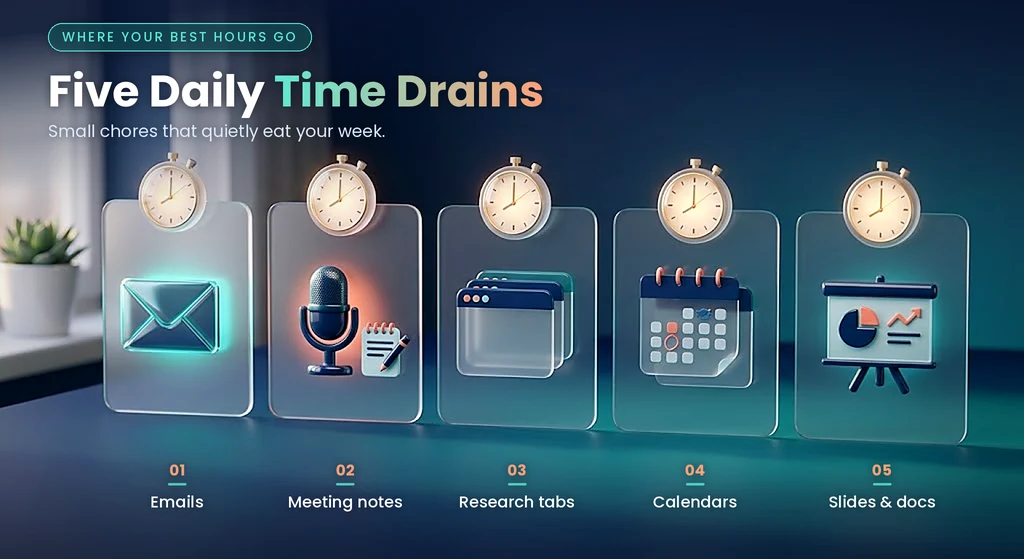
Busywork hides in plain sight. A five-minute email here and a ten-minute search there seem harmless. Add them up across a week and your best hours disappear. A freelancer, a student, and an office manager live very different lives. Yet all three lose time to the same five drains:
- Drafting and answering emails
- Taking and cleaning up meeting notes
- Researching topics across many browser tabs
- Juggling calendars and deadlines
- Formatting slides, posts, and documents
Each of these tasks follows a pattern. AI handles patterns well. That’s why free AI productivity tools make such a big difference. They don’t replace your skills. They remove the dull parts so you can focus on the work only you can do.
Why Free AI Tools Finally Deliver in 2026
Not long ago, free AI meant a weak demo. That has changed. One 2026 review put it bluntly: “Free AI no longer means ‘toy version.’” A hands-on test from the same year noticed a shift in how free plans work. Many now cap how long you can use a feature instead of locking features away. You get the real tool. You just get less of it.
Why aren’t free plans even more generous? Generative AI is expensive to run, which explains why truly useful free tiers remain hard to find. So the smart move is to pick tools carefully. A few strong free plans beat a dozen weak ones.
What “Free” Really Means (Limits, Caps, and Watermarks)

Free rarely means unlimited. Free users face rate limits, and some tools carry separate caps for specific features. Here are the most common limits you’ll meet:
- Message caps. ChatGPT’s free plan, for example, limits usage inside rolling five-hour windows.
- Daily limits that shift. One review says Claude’s free plan allows roughly 10 to 15 messages daily, varying with server load.
- Usage and generation limits. Canva’s free plan restricts AI prompts and generation volume.
- Watermarks. Some Canva AI outputs carry watermarks on the free plan.
Limits change often. Always check each tool’s official pricing page before you rely on a number from any blog, including this one.
How We Chose These 10 Free AI Tools That Actually Save Time
Our Selection Criteria
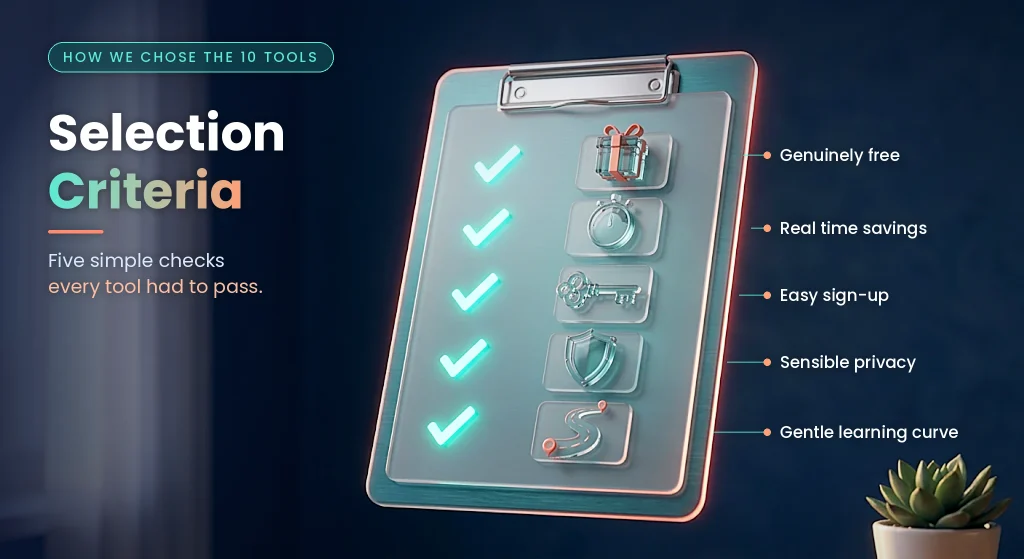
Plenty of “free” tools hide their best features behind a paywall. These ten passed five simple checks:
- Genuinely free. The free plan must be useful for real work, not just a trial.
- Real time savings. Each tool must replace a specific, repeatable chore.
- Easy sign-up. You should start with an email or Google account.
- Gentle learning curve. You should see results in your first session.
- Sensible privacy. Each tool should offer clear terms and controls.
Quick Comparison: Free AI Tools at a Glance
| Tool | Best for | Main time saver | Watch out for |
| ChatGPT | General tasks | Drafts and summaries in seconds | Rate limits at busy times |
| Claude | Long documents | Reads and condenses big files | Daily message caps |
| Perplexity | Research | Sourced answers, fewer tabs | Limits on advanced searches |
| Canva AI | Design | Graphics without a designer | Usage caps and watermarks |
| Grammarly | Editing | Instant proofreading | Deeper rewrites cost extra |
| Otter.ai | Meetings | Automatic notes | Minute limits per month |
| Reclaim.ai | Scheduling | Auto-placed focus time | Works with Google Calendar |
| Notion | Organization | One home for notes and tasks | Few free AI responses |
| Zapier | Automation | Hands-free repetitive tasks | Basic workflows only |
| Gamma | Presentations | Slides from a short prompt | Credit-based allowance |
The 10 Best Free AI Tools That Actually Save You Time
1. ChatGPT: A Free AI Assistant for Everyday Tasks
Start here if you’ve never used AI before. ChatGPT remains one of the strongest free AI tools for everyday work. You can ask it to draft an email, summarize a long thread, brainstorm blog ideas, or explain a confusing concept in plain language. For a freelancer, that means faster client proposals. For an office worker, it means shorter inbox sessions. It also sets the benchmark for free ChatGPT alternatives, since most rivals measure themselves against it.
- Free plan: Limited access with rolling usage windows.
- Try this prompt: “Summarize this email thread in five bullets and list my action items.”
- Downside: You’ll hit limits during peak hours.
2. Claude: A Free AI Tool for Long Documents and Writing
Next, meet a top free option for heavy reading. Claude’s free plan has daily limits that most people find generous enough. You can paste in a long report and ask for a one-page summary with key risks. You can also request a rewrite in a friendlier tone. Many writers like its natural style for blog drafts and polished emails. If you’re comparing free ChatGPT alternatives, Claude deserves a spot on your shortlist at claude.ai.
- Free plan: Daily message limits that vary.
- Try this prompt: “Read this report and give me a one-page summary with three risks.”
- Downside: Caps can tighten when demand spikes.
3. Perplexity: Free AI Research That Saves Hours
Research eats time because you open too many tabs. Perplexity fixes that by answering questions with linked sources. You read one clear answer and click through only when you need proof. Students use it this way every day. One student learning roadmap lists Perplexity, Canva AI, and Notion AI as tools worth trying. Try it at perplexity.ai.
- Free plan: One review reports about five advanced searches per day.
- Try this prompt: “Compare solar and wind power costs, with sources from the last two years.”
- Downside: Always open the sources. AI can still misread them.
4. Canva AI: A Free Design Tool That Saves Time
Design takes forever without training. Canva makes it quick. The free plan includes AI text generation, background removal, and basic AI image generation. A small business owner can build a week of social posts in one sitting. A freelancer can polish a portfolio without hiring anyone. Explore it at canva.com.
- Free plan: AI features with usage limits.
- Try this: Remove a photo background in one click, then drop it into a template.
- Downside: Watermarks may appear on some AI outputs.
5. Grammarly: A Free AI Writing Helper
Proofreading is small work that adds up. Grammarly catches mistakes as you type. Its free plan checks grammar, spelling, and punctuation across more than a million apps and websites. That means one tool covers your email, your documents, and your social posts. For non-native English writers, the instant feedback builds confidence too. Get it at grammarly.com.
- Free plan: Core grammar and clarity checks.
- Try this: Write fast first, then fix everything in one pass.
- Downside: Deeper rewriting features usually sit behind a paid plan.
6. Otter.ai: A Free AI Meeting Note Taker
Nobody enjoys typing meeting notes. Otter joins your call, records it, and writes a searchable transcript. That makes it a handy free AI meeting note taker for Zoom and similar calls. One roundup lists 300 free minutes a month and a 30-minute cap per conversation. Remote workers and freelancers with clients in other time zones both benefit. Visit otter.ai to try it.
- Free plan: Monthly minutes with per-meeting limits.
- Try this: Ask for a summary and a list of next steps after each call.
- Downside: Meeting data can be sensitive, so get consent before you record.
7. Reclaim.ai: A Free AI Scheduling Assistant
Calendars get messy fast. Reclaim protects your focus time automatically. Its free plan schedules habits and focus blocks on Google Calendar and reshuffles them when meetings move. Think of it as a patient assistant who never forgets your priorities. This is a strong free AI scheduling assistant for Google Calendar users. Learn more at reclaim.ai.
- Free plan: Core scheduling features with caps on extras.
- Try this: Add a daily “deep work” habit and let it find the best slot.
- Downside: It depends on Google Calendar.
8. Notion: A Free AI Workspace for Notes and Tasks
Scattered notes waste time. Notion gives you one tidy home for them. The free personal plan offers unlimited pages. You can build task lists, study notes, and project trackers in one place. The AI part is modest on the free tier. One review reports about 20 AI responses per month. Still, that’s enough to try summaries and rewrites. Start at notion.so.
- Free plan: Generous pages and a small AI allowance.
- Try this: Paste messy meeting notes and ask for a clean action list.
- Downside: Heavy AI use needs a paid add-on.
9. Zapier: Free AI Automation for Repetitive Work
Automation is where real time savings compound. Zapier connects your apps so tasks run on their own. The free plan covers basic workflows. For example, you can save every email attachment to Google Drive automatically. You can also send new form responses straight into a spreadsheet and a Slack message. Set it once and forget it. Explore it at zapier.com.
- Free plan: Simple automations with limited tasks.
- Try this: Build one workflow that saves email attachments to a folder.
- Downside: Complex, multi-step flows need a paid plan.
10. Gamma: A Free AI Presentation Maker
Slide decks swallow evenings. Gamma turns a short prompt into a full presentation. One reviewer praises it for avoiding the identical, boring templates that other AI slide tools produce. Students can prepare class projects faster. Professionals can draft a pitch in minutes. That makes it a popular free AI presentation maker. Find it at gamma.app.
- Free plan: One hands-on test reports a starting allowance of 400 credits.
- Try this prompt: “Create a 6-slide deck on our Q3 results for busy managers.”
- Downside: Credits run out if you generate too many drafts.
Honorable Mentions
Several other free options deserve a look. Microsoft Copilot is easy to reach because it sits inside Microsoft’s consumer and workplace tools. Google’s Gemini suits people who want AI built into the Google apps they use daily. For voice work, one roundup names TTSMaker the best completely free voice tool.
How to Combine Free AI Tools to Save Time Every Day
One tool helps. A small stack transforms your week. The trick is to keep it simple. Most lost productivity comes from running three overlapping apps, not from missing features. So pick one tool per job and stick with it.
The Freelancer Stack

Freelancers need speed and polish. A smart stack looks like this:
- ChatGPT or Claude for proposals and first drafts
- Perplexity for quick client research
- Canva AI for graphics and portfolio pieces
- Grammarly for flawless final copy
- Zapier for automatic file and invoice reminders
The demand is real. Freelancers who offer AI automation are in high demand on platforms like Upwork and Fiverr.
Illustrative case study: Imagine Sara, a freelance writer. She spends two hours on each client proposal. She starts using Claude for outlines and Grammarly for polish. Her proposals now take about 45 minutes. Over eight proposals a month, she saves roughly 10 hours. She spends that time pitching new clients. (This scenario is an example with estimated numbers, not a real person.)
The Remote Worker Stack

Remote workers fight meetings and messages. This stack helps:
- Otter.ai for notes and summaries
- Reclaim.ai for protected focus time
- Zapier for routing files and updates
- Claude for summarizing long reports
Illustrative case study: Picture Daniel, a remote project coordinator. He attends six meetings a week and used to spend 20 minutes writing notes after each one. With Otter, he reviews an auto-summary in five minutes. That’s about 90 minutes saved weekly. (Again, an example with estimated numbers.)
The Student Stack

Students juggle reading, writing, and deadlines. Try this combination:
- Perplexity for research with sources
- Notion for organized class notes
- Canva AI and Gamma for presentations
- ChatGPT for explaining hard topics
One student roadmap offers wise advice here. It suggests asking AI to explain tough topics in your own language, then treating the output as a draft you refine. That keeps you learning instead of copying.
The Small Business Owner Stack

Small teams wear many hats. Free AI tools for small business owners can cover the basics. Use ChatGPT for product descriptions and customer replies. Use Canva AI for social posts and flyers. Add Grammarly for clean copy and Zapier to move leads into a spreadsheet automatically.
A Simple 60-Minute Morning Workflow
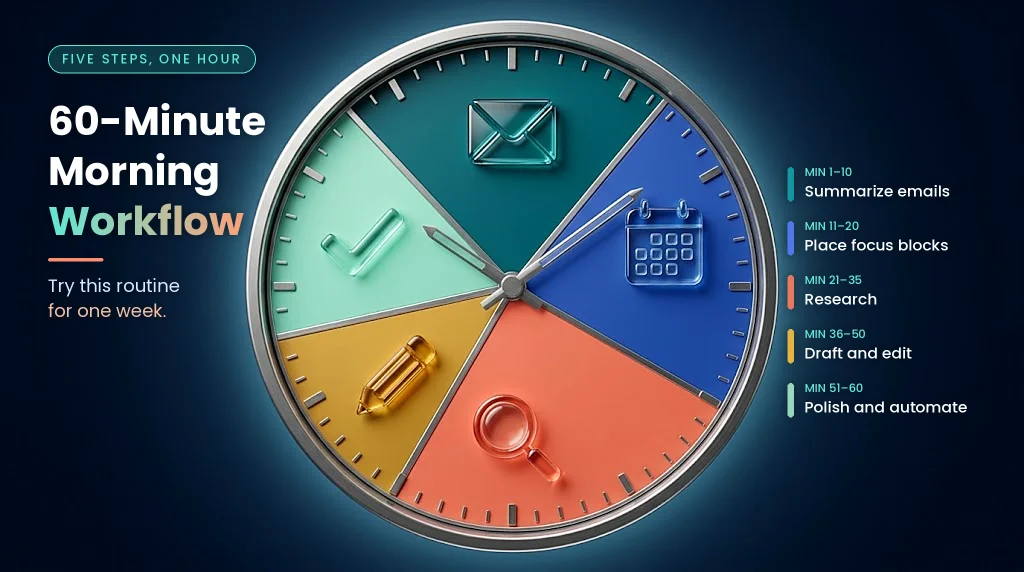
Try this routine for one week:
- Minutes 1 to 10: Ask Claude or ChatGPT to summarize your overnight emails. Note the urgent ones.
- Minutes 11 to 20: Let Reclaim.ai place your focus blocks around today’s meetings.
- Minutes 21 to 35: Use Perplexity to gather research for your biggest task.
- Minutes 36 to 50: Draft the first version with an AI assistant. Edit it yourself.
- Minutes 51 to 60: Run Grammarly, then queue anything repetitive in Zapier.
Free AI Tools for Work, Study, and Freelancing: Access, Privacy, and Safety

Free Tiers Win When Payments Are Hard
Paid AI plans often need an international credit card. In many regions, getting one isn’t simple. That’s why free AI tools with no credit card required matter so much. Most tools in this guide ask only for an email or Google sign-up. Start there. Upgrade later if a specific limit slows you down.
Check Your Workplace or School Policy First
Many companies and schools now have AI rules. Some ban certain tools. Others allow them with limits. Ask your manager, teacher, or IT team before you paste any work content into a free tool. It takes two minutes and prevents big headaches.
Protect Sensitive Data
Free plans often come with fewer privacy controls. Free-tier limits and sensitive data handling both deserve caution. Follow these simple rules:
- Never paste passwords, client secrets, or financial records.
- Remove names and numbers when you can.
- Get everyone’s consent before recording a call. Some places require it from all parties.
Tips for Slow or Unstable Internet
Connections can wobble. These habits help:
- Draft offline in a notes app, then paste into AI tools later.
- Batch your AI tasks into one focused session.
- Use mobile apps, which often load lighter than full websites.
- Work during off-peak hours when sites run faster.
Tools That Fit Google Workspace and Microsoft 365
Integration saves clicks. Google Workspace users can lean on Gemini, while Microsoft-heavy teams can use Copilot. Both fit smoothly into daily apps, so you won’t need to learn a new interface.
A Word on Income Claims
You’ll see bold promises online about earning big with free AI tools. One guide says workflow builders charge $500 to $2,000 per project. Treat such numbers as marketing until you see proof. Build real skills first. Then let your portfolio do the talking. As one columnist wrote, “AI is not magic and it is not the enemy; it is a tool.”
Free AI Tools vs. Paid Plans: When Should You Upgrade?

Don’t rush to pay. A sound approach is to start free, find where the limits truly hurt, and pay only for the one or two tools that earn it. Use this table to decide:
| Signal | What it means | Action |
| You hit the cap every day | The tool is now essential | Upgrade that one tool |
| You need commercial rights | Free terms may not allow it | Read the terms or upgrade |
| You handle private data | Free plans offer fewer controls | Choose a paid or business plan |
| You work in a team | You need sharing and admin tools | Upgrade for collaboration |
| You barely use it | The tool isn’t earning its place | Stay free or drop it |
Mistakes That Waste the Time Free AI Tools Should Save
Even great tools backfire when you misuse them. Watch for these traps:
- Tool overload. Running many overlapping apps costs more time than it saves.
- Blind trust. Let AI draft the work. Then you check facts and refine the wording.
- Weak prompts. Vague questions get vague answers. Try this formula: role + task + context + format. For example: “Act as a career coach. Rewrite my résumé summary for a marketing job. Keep it under 60 words.”
- Oversharing private data. Free tools aren’t vaults.
- Skipping the limits. Check caps before you plan a big project around a free plan.
FAQs About Free AI Tools That Save Time
What are the best free AI tools that save time? ChatGPT, Claude, Perplexity, Canva AI, Grammarly, Otter.ai, Reclaim.ai, Notion, Zapier, and Gamma cover most daily tasks.
Are free AI tools really free? Yes, but with limits. Expect message caps, credit systems, or occasional watermarks.
Do I need a credit card to use free AI tools? Usually not. Most free plans need only an email or Google account. Confirm on each tool’s official site.
Can I use free AI tools for commercial work? Often yes, but rules differ. Read each tool’s terms before you deliver paid client work.
How many hours can AI save per week? It varies. Heavy admin users may reclaim several hours. Start small and track your own results for two weeks.
Which free AI tool is best for students? Perplexity for research and Notion for notes make a strong pair.
Is the free version of ChatGPT good enough? For most casual tasks, yes. You’ll only feel the limits if you use it all day.
Final Thoughts: Start With One Free AI Tool This Week

You’ve seen ten free AI tools that actually save time. The best ones share a pattern. They take over boring, repeatable chores and leave you the creative work. Start with ChatGPT or Claude if you’re new. Add Otter, Reclaim, or Zapier when you’re ready to go further. Keep your stack small and your expectations realistic.
Pick one tool today. Use it for one task tomorrow. Track the minutes you save. In two weeks you’ll know exactly which tools deserve a permanent place in your routine.